Command click 하면 됨. (Show in Finder 와 같은 기능)
키워드 : application, folder, location, shortcut

Saturday, May 28, 2016

Sunday, May 22, 2016

Friday, May 20, 2016
OS X terminal 에서 현재 폴더로 Finder 여는 법
터미널에서
open .
하면 됨
키워드 : directory, cd, folder, 디렉토리, 파인더
레퍼런스 : Open Finder in Current Folder from Terminal
open .
하면 됨
키워드 : directory, cd, folder, 디렉토리, 파인더
레퍼런스 : Open Finder in Current Folder from Terminal
Wednesday, May 18, 2016
OS X 에서 Keyboard Text Substitution 저장하고 가져오는 법

- System Preferences 에서 Keyboard > Text 를 연다.
- 저장하려는 shortcut 들을 선택한 후 데스크탑(또는 아무 폴더나)에 drag and drop 하면 plist 파일이 생김. 즉 export 되는 것임
- 그 plist 파일을 다시 끌어오면 import 가 됨
레퍼런스 : How to export and import text substitutions in OS X
Monday, May 16, 2016
윈도우에서 키보드 한영 전환을 타입3(shift + space)로 만드는 법
기본값인 타입 1 에서는 한영 전환 키 외에는 한글과 영어를 전환하지 못한다.
타입 3로 해야 shift + space 로 한영전환이 가능하다.
윈도우를 새로 다시 깔지 않고 하는 방법은 다음과 같다.
1. 레지스트리를 연다 (시작 > 실행 > regedit 입력)
2. HKEY_LOCAL_MACHINE \ SYSTEM \ CurrentControlSet \ Services \ i8042prt \ Parameters 로 들어감
3. "LayerDriver KOR" 의 값을 kbd101a.dll 에서 kbd101c.dll 로 변경
4. "OverrideKeyboardSubtype" 의 값을 5 로 변경 (아마 3 또는 0 값으로 되어 있을 것이다)
5. 리부트한다
키워드 : type 3, type 1
레퍼런스 : 키보드 타입 변경
타입 3로 해야 shift + space 로 한영전환이 가능하다.
윈도우를 새로 다시 깔지 않고 하는 방법은 다음과 같다.
1. 레지스트리를 연다 (시작 > 실행 > regedit 입력)
2. HKEY_LOCAL_MACHINE \ SYSTEM \ CurrentControlSet \ Services \ i8042prt \ Parameters 로 들어감
3. "LayerDriver KOR" 의 값을 kbd101a.dll 에서 kbd101c.dll 로 변경
4. "OverrideKeyboardSubtype" 의 값을 5 로 변경 (아마 3 또는 0 값으로 되어 있을 것이다)
5. 리부트한다
키워드 : type 3, type 1
레퍼런스 : 키보드 타입 변경
Sunday, May 15, 2016
윈도우 10 부팅 USB 만드는 법
다음 링크에 설명 잘 나와 있음.
Download Windows 10 Disc Image (ISO File)
다음은 한글 설명.
정말 간단한 윈도우10 USB 부팅 디스크 만들기
키워드 : Windows 10 booting 디스크, disc, install
Download Windows 10 Disc Image (ISO File)
다음은 한글 설명.
정말 간단한 윈도우10 USB 부팅 디스크 만들기
키워드 : Windows 10 booting 디스크, disc, install
Friday, May 13, 2016
OS X El Capitan 의 bootable disk 만드는 법
OS X El Capitan 의 bootable disk 만드는 법
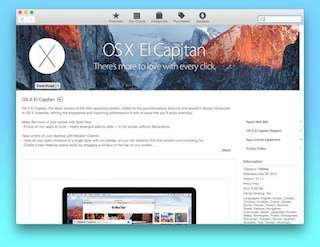
How to do a clean install of OS X El Capitan
How to create a bootable OS X 10.11 El Capitan USB drive
- Download OS X El Capitan. After the download is complete, Install OS X El Capitan will be available in your Applications folder. A setup wizard should have appeared by now -- you can close it.
- Connect the USB drive to your Mac.
- Using Disk Utility (it is typically found in the Other folder, under Launchpad), format the USB drive as Mac OS Extended (Journaled), and name it OSXElCapitan. This can be done from the Erase tab within the app; make sure that there are no multiple partitions (turn to the Partition tab to verify and correct this).
- Open Terminal (it is found in the same folder as the Disk Utility app).
- Use (paste) the following command: sudo /Applications/Install\ OS\ X\ El\ Capitan.app/Contents/Resources/createinstallmedia --volume /Volumes/OSXElCapitan --applicationpath /Applications/Install\ OS\ X\ El\ Capitan.app --nointeraction.
- Type in your user password, when required, to start the process.
- Restart your Mac and hold down the Option key immediately. When your machine boots up, choose the USB drive that says "Install OS X El Capitan"
- Select "Disk Utility" and then select your main hard drive. Press "Erase" on the volume. Remember, this will erase EVERYTHING on your machine.
- Go back to the main menu and choose "Install OS X." Select your internal hard drive when prompted and continue with the installation.
How to do a clean install of OS X El Capitan
How to create a bootable OS X 10.11 El Capitan USB drive
Thursday, May 12, 2016
youtube 비디오 embed 할때 시작점 지정하는 법
1. 시작점 지정
1분 21초부터 시작한다고 하면
youtube.com / embed / abcd ? start=81
이런 식으로 넣으면 됨
2. 무조건 플레이되게 하려면
youtube.com / embed / abcd ? start=81 & autoplay=1
키워드 : play, embed code, 시작 지점, 시작 포인트
1분 21초부터 시작한다고 하면
youtube.com / embed / abcd ? start=81
이런 식으로 넣으면 됨
2. 무조건 플레이되게 하려면
youtube.com / embed / abcd ? start=81 & autoplay=1
키워드 : play, embed code, 시작 지점, 시작 포인트
Wednesday, May 11, 2016
맥에서 기본 내장 카메라로 동영상 찍는 법

키워드 : Quicktime player, Facetime
검색어 : movie, mov, record
출처 : How to Record Video on Mac Using Built-in iSight Camera
Friday, April 29, 2016
URL 에서 한글이 깨진 encoding 을 변환해주는 툴 : Swiss Converter Tool
Swiss Converter Tool ...the Victorinox® knife of encoding

키워드 : iso-8859-1, utf-8, %EB, %EC, %ED, html, www

키워드 : iso-8859-1, utf-8, %EB, %EC, %ED, html, www
Monday, April 25, 2016
TextWrangler 에서 각각의 파일들을 탭이 아닌 별개의 윈도우에서 여는 법
TextWrangler 에서 각각의 파일들을 tab 이 아닌 Separate window 에서 열려면
Preferences 의 Application 항목에서
"Open documents into the front window when possible" 의 체크를 끄면 된다.

키워드 : uncheck, 환경설정
검색어 : google > textwrangler open in new window
출처 : How to open files in a new window, not a tab?
Preferences 의 Application 항목에서
"Open documents into the front window when possible" 의 체크를 끄면 된다.
키워드 : uncheck, 환경설정
검색어 : google > textwrangler open in new window
출처 : How to open files in a new window, not a tab?
Sunday, April 17, 2016
Wednesday, April 13, 2016
S.M.A.R.T.
S.M.A.R.T. (Self-Monitoring, Analysis and Reporting Technology; often written as SMART) is a monitoring system included in computer hard disk drives (HDDs) and solid-state drives (SSDs)[1] that detects and reports on various indicators of drive reliability, with the intent of enabling the anticipation of hardware failures.

키워드 : hard disk 하드디스크
검색어 : os x bad sector check
출처 : https://en.wikipedia.org/wiki/S.M.A.R.T.
레퍼런스 :
Checking for bad blocks without formatting
Hard drive S.M.A.R.T. Status says verified tech people say hard drive needs to be replaced
My SMART status says the disk is failing

키워드 : hard disk 하드디스크
검색어 : os x bad sector check
출처 : https://en.wikipedia.org/wiki/S.M.A.R.T.
레퍼런스 :
Checking for bad blocks without formatting
Hard drive S.M.A.R.T. Status says verified tech people say hard drive needs to be replaced
My SMART status says the disk is failing
Thursday, March 31, 2016
TextWrangler 의 grep 으로 마침표 뒤에 띄어쓰기 없는 텍스트 교정해주는 법

예)
BEFORE:
나는 칼을 꺼냈다.그리고 단칼에 두부를 내리쳤다.그러나...두부는 잘리지 않았다.왜냐하면...칼이..
AFTER:
나는 칼을 꺼냈다. 그리고 단칼에 두부를 내리쳤다. 그러나... 두부는 잘리지 않았다. 왜냐하면... 칼이..
키워드 : regex, regular expression, find, replace
Thursday, March 24, 2016
Perl 에서 EUC-KR 로 인코딩 된 텍스트 파일 유니코드로 로딩하는 법
다음과 같이 하면 된다.
my $text = `iconv -c -f euc-kr -t utf-8 \"$filepath\"`;
키워드 : text file, utf-8, load, unicode, euckr, euc-kr, encoding, 한글
my $text = `iconv -c -f euc-kr -t utf-8 \"$filepath\"`;
키워드 : text file, utf-8, load, unicode, euckr, euc-kr, encoding, 한글
Perl regular expression 에서 Multiple Lines 매칭하는 법
/s 와 /m 옵션을 활용하면 된다.
/s
. 는 원래 newline 을 매치하지는 않으나 /s 옵션을 쓰면 . 가 \r 이나 \n 도 매치할수 있게 해준다.
/m
^ 과 $ 는 원래 매치하는 텍스트의 맨 처음과 끝이지만 /m 옵션을 쓰면 ^ 과 $ 가 중간의 newline character 로 개행된 바로 다음부터 매치되도록 해준다.
키워드 : regular expression, multiline, match, 개행문자, 개행
출처 : Matching Multiple Lines
/s
. 는 원래 newline 을 매치하지는 않으나 /s 옵션을 쓰면 . 가 \r 이나 \n 도 매치할수 있게 해준다.
/m
^ 과 $ 는 원래 매치하는 텍스트의 맨 처음과 끝이지만 /m 옵션을 쓰면 ^ 과 $ 가 중간의 newline character 로 개행된 바로 다음부터 매치되도록 해준다.
키워드 : regular expression, multiline, match, 개행문자, 개행
출처 : Matching Multiple Lines
Perl 에서 system command 호출해서 그 결과값 변수로 불러오는 법
`` 를 사용하면 된다.
예)
my $text = `iconv -c -f euc-kr -t utf-8 \"$textfilename\"`;
system() 과의 차이는, system 은 그 명령어의 결과값을 얻어내는 것이 아니라 exit 할때 리턴한 값만을 돌려준다.
즉 다음과 같이 호출하면 얻어지는 값은 0 같은 값이 된다.
my $exitValue = `iconv -c -f euc-kr -t utf-8 \"$filepath\"`;
키워드 : variable, call, 시스템 명령어, bash, unix, linux
검색어 : perl system command output to variable
출처 : How can I store the result of a system command in a Perl variable?
예)
my $text = `iconv -c -f euc-kr -t utf-8 \"$textfilename\"`;
system() 과의 차이는, system 은 그 명령어의 결과값을 얻어내는 것이 아니라 exit 할때 리턴한 값만을 돌려준다.
즉 다음과 같이 호출하면 얻어지는 값은 0 같은 값이 된다.
my $exitValue = `iconv -c -f euc-kr -t utf-8 \"$filepath\"`;
키워드 : variable, call, 시스템 명령어, bash, unix, linux
검색어 : perl system command output to variable
출처 : How can I store the result of a system command in a Perl variable?
Saturday, March 19, 2016
OS X Install 디스크 만드는 법
Disk Utility's hidden talents
6번에 보면 Burn a bootable duplicate of a disc 항목에 부팅 디스크 만드는 법이 있음
키워드 : bootable, boot, DVD, 디스크 유틸리티
6번에 보면 Burn a bootable duplicate of a disc 항목에 부팅 디스크 만드는 법이 있음
키워드 : bootable, boot, DVD, 디스크 유틸리티
Subscribe to:
Posts (Atom)